
Reporting and workflows on your Zoho data
Cerebro connects Zoho CRM, Books and Analytics, puts the dashboards inside the CRM, and adds buttons that run your Deluge functions. Use it for your own company, or as a Zoho partner for your clients. Build it yourself, or have our team set it up.
Bluefin Logistics
Account · Owner M. Okafor
Northgate Ops Partners for Bluefin Logistics · October retainer
62% of this month's hours are used.
Monthly commitment
40.0 h
Hours used
24.8 h
▴ 6.5 h this week
Projected month end
41.6 h
1.6 h over at this pace
Overage last month
0.0 h
on commitment
Cumulative hours vs. commitment
Timesheets and help desk · synced 12 min ago
- businesses with dashboards or questions on their Zoho data
- 20+
- Zoho connectors we build and run, two of them in early release
- 5
- dashboards built on Zoho data
- 120+
- of them shared through a live link that needs no login
- 30+
Production counts, November 2026. Health-related customers and our own organizations excluded.
Each Zoho product, the way its API actually works
We read the official API for each product and region, prefer bulk exports, keep every ID, relationship, custom field and subform, and reconcile counts before a snapshot is published.
Zoho CRM
Zoho Books
Zoho Analytics
Zoho Campaigns
Zoho Partner Store
Desk, Creator, Inventory, Projects, WorkDrive
The dashboard opens in the CRM tab. The button runs your Deluge function.
A dashboard embedded in a Zoho CRM web tab or a Books workspace looks like part of Zoho. Reps and finance don't leave Zoho to see it, and nobody needs a Cerebro login.
Put a button on a row and Cerebro sends a signed webhook to a Zoho Flow or directly to a Deluge function you already have. The row hides or shows a badge until the CRM syncs back.
- Junk and Not spam buttons that run a CRM function for the contact
- Ready to bill on an open sales order
- Chat that creates or updates records after you approve each one
Leads · Spam review
Sales workspace
Summit Field Services · CRM hygiene
Spam review
Review queue
| Contact | Source | Reason | Created | |
|---|---|---|---|---|
| contact-88213 | Web form | Disposable email | Oct 19 | JunkNot spam |
| contact-88207 | Chat | Gibberish name | Oct 19 | ✓ Marked junk |
| contact-88191 | Web form | Duplicate phone | Oct 18 | JunkNot spam |
| contact-88174 | Paid social | Blocked domain | Oct 18 | JunkNot spam |
Zoho CRM · synced 3 min ago
When the report needs someone to write SQL, ask instead
Zoho Analytics is where most Zoho shops start. It holds until a certain person needs a certain report and someone has to go write the query. We review the reports your team depends on, bring over the tables that only live in Analytics, and rebuild the pages people actually use.
Cerebro writes the SQL, shows it on the tile and checks its totals against the source. When a client asks why a number moved, the query is right there.
Dashboard assistant
- Read zoho_crm deals, users and stage history
- Joined goals from the Analytics goals table
- 9 tiles built · pipeline, ageing, attainment
- Totals checked against CRM
Built around Zoho's API limits
Zoho meters API calls, and a first sync can eat a day's budget. Cerebro treats that as a design constraint, not a support ticket.
A budget you set
A daily credit limit per connection, with a reserve held back for your own workflows and integrations.
Bulk first
Bulk Read exports for core modules, then modified-since reads with overlap, so a full refresh costs a fraction of a record-by-record pull.
Queue, don't fail
When a limit is close, the sync waits its turn instead of erroring and leaving half a table behind.
Reconcile before publish
Counts are checked against Zoho before a snapshot replaces the last one. Deleted records are removed, not left to rot.
Consultancies run their client reporting on Cerebro
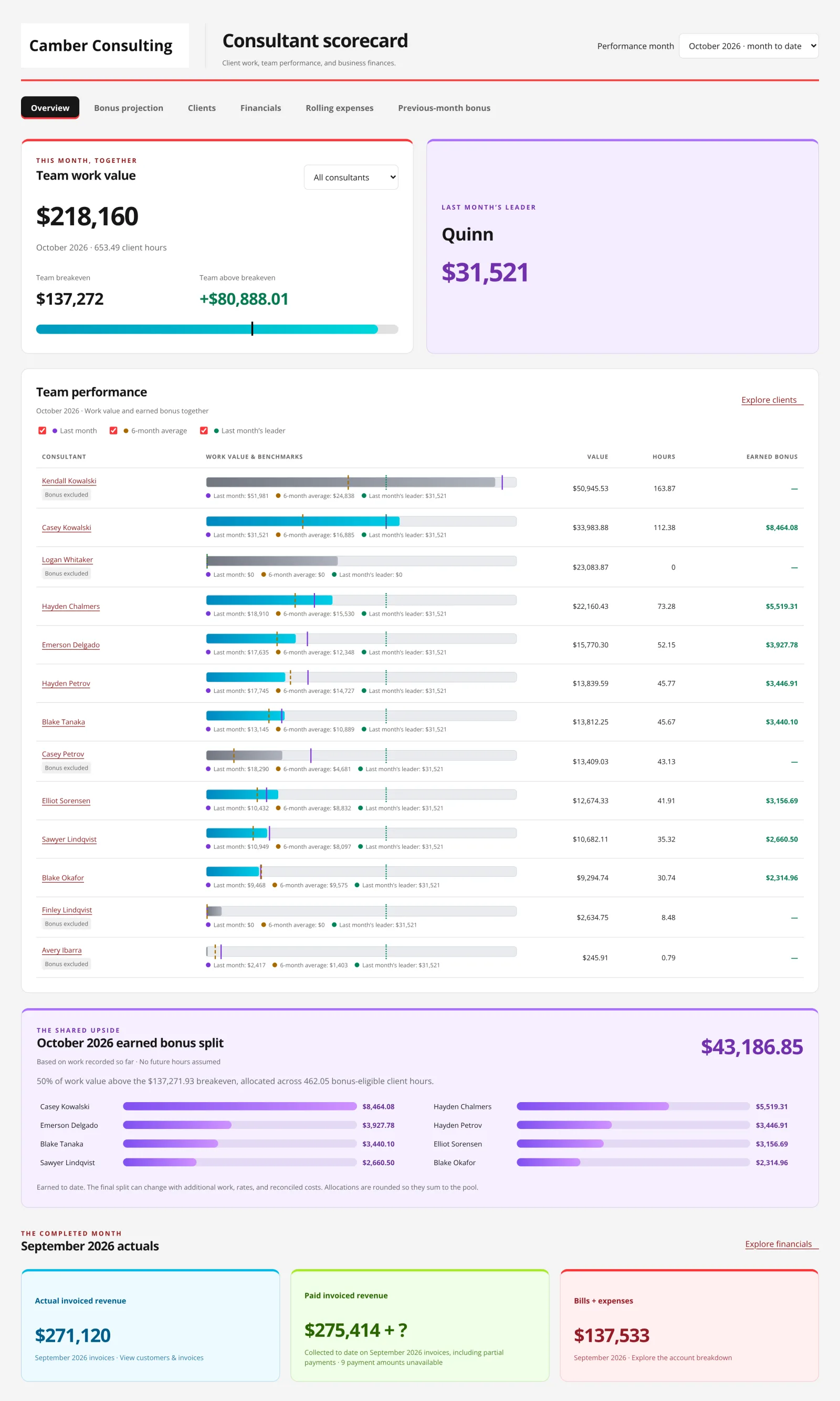
A Zoho Premium Partner runs its client portals, consultant scorecard and Partner Store commissions on Cerebro, and uses it to stage data when a client moves off NetSuite or HubSpot into Zoho. A money management firm runs 18 dashboards on its Zoho CRM and Books data.
The Workflow Academy
Zoho Premium Partner · Consultancy
A Zoho consultancy that answers client questions with the query attached
Consultants answer client questions Zoho's own search can't, and send the SQL as proof.
Read the storyBefore
Earlier dashboard projects, in the founder's words, took an inordinate amount of time.
After
Zoho Books and CRM were connected on a Tuesday. The first management dashboard was live the following Monday.
Everyday Money Management
Bookkeeping and money management
From gut feel to 18 dashboards, starting six days after the first call
Their first dashboard went live six days after the first connection. They now run 18 of them.
Read the story“I had to search through thousands of records today for something that isn't easily searchable in Zoho, and Cerebro did it very quickly and then gave me the SQL code that I could run myself to generate a report to share with the client for verification.”
“I've seen enough cycles where the data isn't quite clean enough, or, more often, someone needs a report and we have to call in a person to write SQL and build the dashboard. It takes time. It's painful.”
 Peter FullerFounder, The Workflow Academy
“Nothing broke. It worked like a charm. The button sends the webhook payload straight to a Deluge function I already had in the CRM, and it worked perfectly.”
“I've spent most of the day building and reworking our company scorecard and our client dashboards. I've made a lot of progress and learned a lot. Pretty amazing tool.”
“Most of the migrations we've done with Cerebro have been moving people off NetSuite, HubSpot and other systems and into Zoho.”
Peter FullerFounder, The Workflow Academy“Cerebro has been super helpful. The data engineering work they've done for a lot of our biggest customers has given them the dashboards of their dreams.”
Peter FullerFounder, The Workflow AcademyHow to start
- 01
Connect Zoho with us
On a short call we connect CRM, Books or Analytics, pick the modules and set the credit budget, so the first sync doesn't eat your API allowance. - 02
Describe the page
Tell the assistant who it is for and what they decide with it. It writes the queries against your modules and lays out the tiles. - 03
Put it where people look
Embed it in a CRM web tab, schedule it to Slack or email, and add a button for the next step.
Questions Zoho teams ask
Which Zoho products connect?
Zoho CRM, Books and Analytics have connectors we build and run. Campaigns is in beta and Partner Store is new. For Desk, Creator, Inventory, Projects and WorkDrive we have built pipelines for individual customers, so tell us what you use and we will scope it.
Does it sync custom modules?
Yes. The CRM connector discovers the modules your tenant exposes through the API, custom modules included, with their fields and layouts. Subforms and some relationships are filled in after the main sync. Deal and lead stage history come along too.
What about Zoho API credits?
You set a daily credit budget per connection and a reserve for your own Zoho functions and integrations. Cerebro uses bulk reads and modified-since reads to stay inside it, and waits in a queue rather than failing when a limit is close. How often data refreshes depends on that allowance.
How fresh is the data?
Full snapshots every four hours. For modules you pick, a fast lane refreshes every ten minutes inside your business hours.
Can it replace Zoho Analytics?
Often, and it can also run alongside it. We review the reports and tables your team depends on before recommending a move. If you keep goals, targets or product values only in Analytics, the Analytics connector brings up to 100 tables per workspace next to the rest of your data.
Can dashboards live inside Zoho?
Yes. Switch on an embed and paste the link into a Zoho CRM web tab, a Zoho Books workspace or a client portal. Viewers see the live page without a Cerebro login and never see the SQL. The AI chat is not part of the embedded page, and showing only the open record takes extra setup.
Can it write back to Zoho?
Two ways. A dashboard button sends a signed webhook to a Zoho Flow or straight to a Deluge function you already have. In chat, the analyst can create and update CRM records, custom modules included, after you approve each action.
Which data centers?
CRM, Books and Partner Store cover the US, EU, India and Australia regions. Analytics and Campaigns run against the US data center today. Ask us if you are on another region.
Talk through your Zoho setup
Book a call and we connect your Zoho apps with you, then build the first dashboard together. Or sign up free and look around first.